How to Build a Technology Roadmap That Actually Gets Used
Most Businesses Don't Have a Technology Problem. They Have a Planning Problem.
Every business makes technology decisions.
A new employee joins the team, so another laptop is purchased. A department needs a better way to collaborate, so someone signs up for a new software subscription. A server reaches the end of its life, so it gets replaced. Cybersecurity becomes a concern after reading about the latest ransomware attack, leading to another security tool being added.
Individually, these decisions make sense.
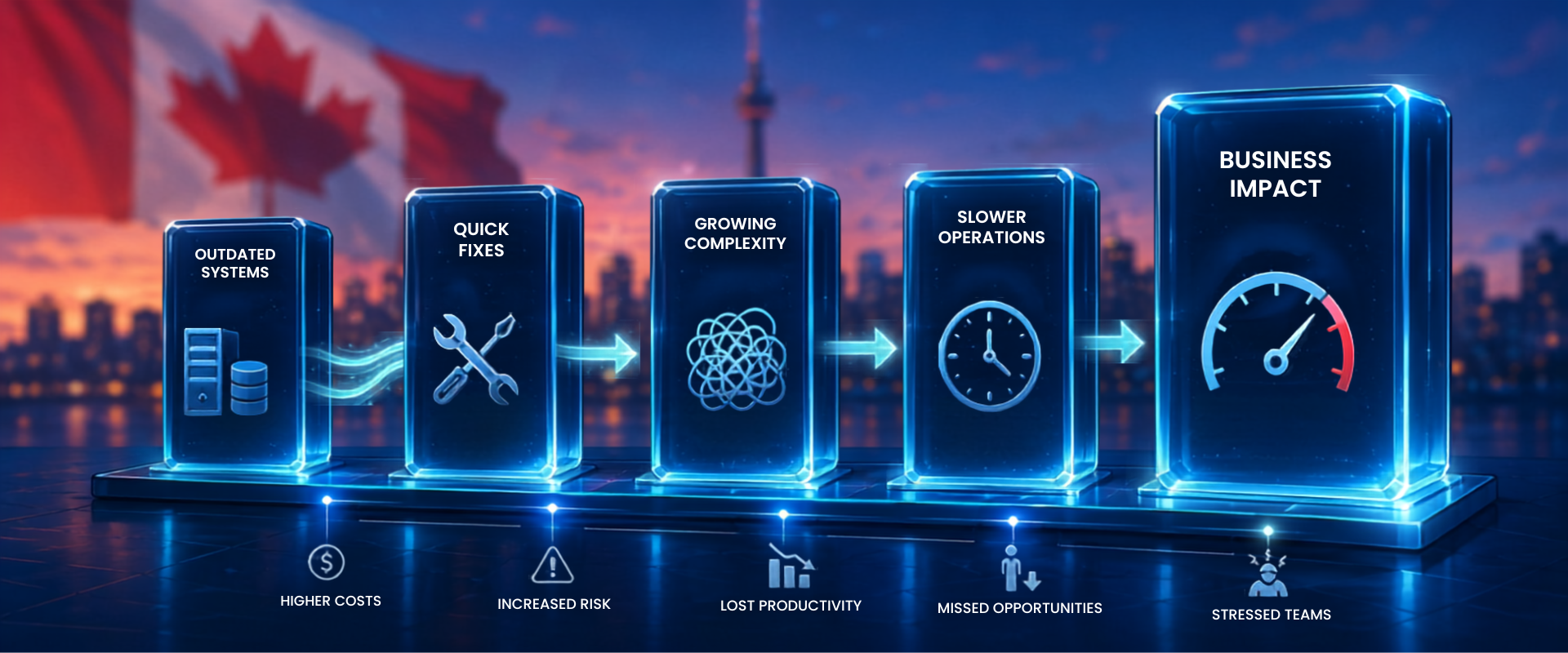
Collectively, they often create a technology environment that is reactive, difficult to manage, and more expensive than it needs to be. This is often a sign of technology debt that has accumulated over time.
That's why successful businesses don't just invest in technology. They invest in a technology roadmap.
A roadmap doesn't need to predict every decision over the next five years. Instead, it provides a practical framework that aligns technology investments with business priorities, helping organizations make consistent decisions rather than reacting to problems as they arise.
What Is a Technology Roadmap?
A technology roadmap is a documented plan that outlines how technology will support your business over time.
Rather than focusing only on hardware replacements or software renewals, a roadmap considers:
- business objectives
- cybersecurity priorities
- hardware lifecycle
- software strategy
- cloud services
- employee productivity
- budget planning
- business continuity
Think of it as a business plan for your technology.
It helps answer questions like:
- What should we invest in next year?
- Which systems need replacing?
- Are we standardizing on the right software?
- How will AI fit into our business?
- Are we spending money in the right areas?
Without a roadmap, every technology purchase becomes an isolated decision.
Signs Your Business Is Operating Without a Roadmap
Many organizations don't realize they're working without a clear technology strategy until they experience recurring problems.
Common signs include:
- unexpected technology expenses
- aging equipment being replaced only after it fails
- multiple software platforms performing the same function
- inconsistent cybersecurity practices
- employees using unauthorized applications
- recurring discussions about upgrading "someday"
If these situations sound familiar, the issue may not be the technology itself. It may be the lack of a long-term plan.
The Five Elements of an Effective Technology Roadmap
1. Align Technology With Business Goals
Technology should support the direction of the business.
If your organization plans to grow, open new offices, hire additional staff, or expand remote work, your technology should be planned accordingly.
Buying technology without considering business objectives often leads to unnecessary spending.
2. Standardize Where Possible
Standardization simplifies support, strengthens security, and creates a more consistent experience for employees.
This includes standardizing:
- computers
- operating systems
- productivity platforms
- cybersecurity tools
- collaboration software
A standardized environment is typically easier to maintain and less expensive to support.
3. Plan for Lifecycle Replacements
Every device has a useful life.
Waiting until equipment fails can result in downtime, emergency purchases, and frustrated employees.
A roadmap schedules replacements before problems affect the business, making budgeting more predictable.
4. Include Cybersecurity From the Start
Security should not be treated as a separate project.
Every technology decision should consider:
- access controls
- multi-factor authentication
- backup and recovery
- employee awareness
- software updates
- vendor risk
Integrating security into the roadmap helps reduce risk without creating unnecessary complexity.
5. Review the Roadmap Regularly
Business priorities change.
Software vendors introduce new features.
AI capabilities continue to evolve.
Reviewing the roadmap annually, or after significant business changes, helps ensure it remains relevant.
A Roadmap Doesn't Need to Be Complicated
Many business owners imagine a technology roadmap as a lengthy technical document.
It doesn't have to be.
A practical roadmap might include:
- current technology inventory
- upcoming hardware replacements
- major software decisions
- cybersecurity priorities
- planned projects
- estimated budgets
- business goals that technology should support
The value comes from having a shared direction—not from creating a perfect document.
Real-World Example
A growing professional services firm had invested in new technology every year, yet employees still felt that systems were disorganized.
A technology review revealed that hardware upgrades, software purchases, and security improvements had all been made independently, without an overall strategy.
By creating a three-year technology roadmap, the business was able to prioritize projects, consolidate software, schedule hardware replacements, and improve budgeting.
Instead of reacting to issues, technology decisions became part of regular business planning.
Key Takeaway
Technology investments are most effective when they support a clear plan.
A technology roadmap helps businesses make informed decisions, reduce unexpected costs, improve security, and ensure technology evolves alongside the organization.
The goal isn't to predict every future need. It's to make today's decisions with tomorrow in mind.
Whether you're preparing for growth, replacing aging systems, or reviewing your technology strategy, a structured roadmap can help you prioritize investments and avoid costly surprises. If you'd like an independent perspective on your current environment, we're here to help.
Planning future technology investments is easier when you understand the ongoing costs.
Frequently Asked Questions
What is a technology roadmap?
A technology roadmap is a strategic plan that aligns technology investments with business goals, helping organizations prioritize upgrades, improve budgeting, and reduce reactive decision-making.
How often should a technology roadmap be reviewed?
Most businesses should review their roadmap at least once a year or whenever there are significant changes, such as growth, acquisitions, or new regulatory requirements.
Who should be involved in creating a technology roadmap?
Business leaders, department managers, and IT advisors should work together to ensure the roadmap reflects operational needs, security priorities, and long-term objectives.
Is a technology roadmap only for large businesses?
No. Small and mid-sized businesses often benefit the most because a roadmap helps them make smarter investments, avoid unnecessary spending, and plan for future growth.
Recent Posts